Working a finding
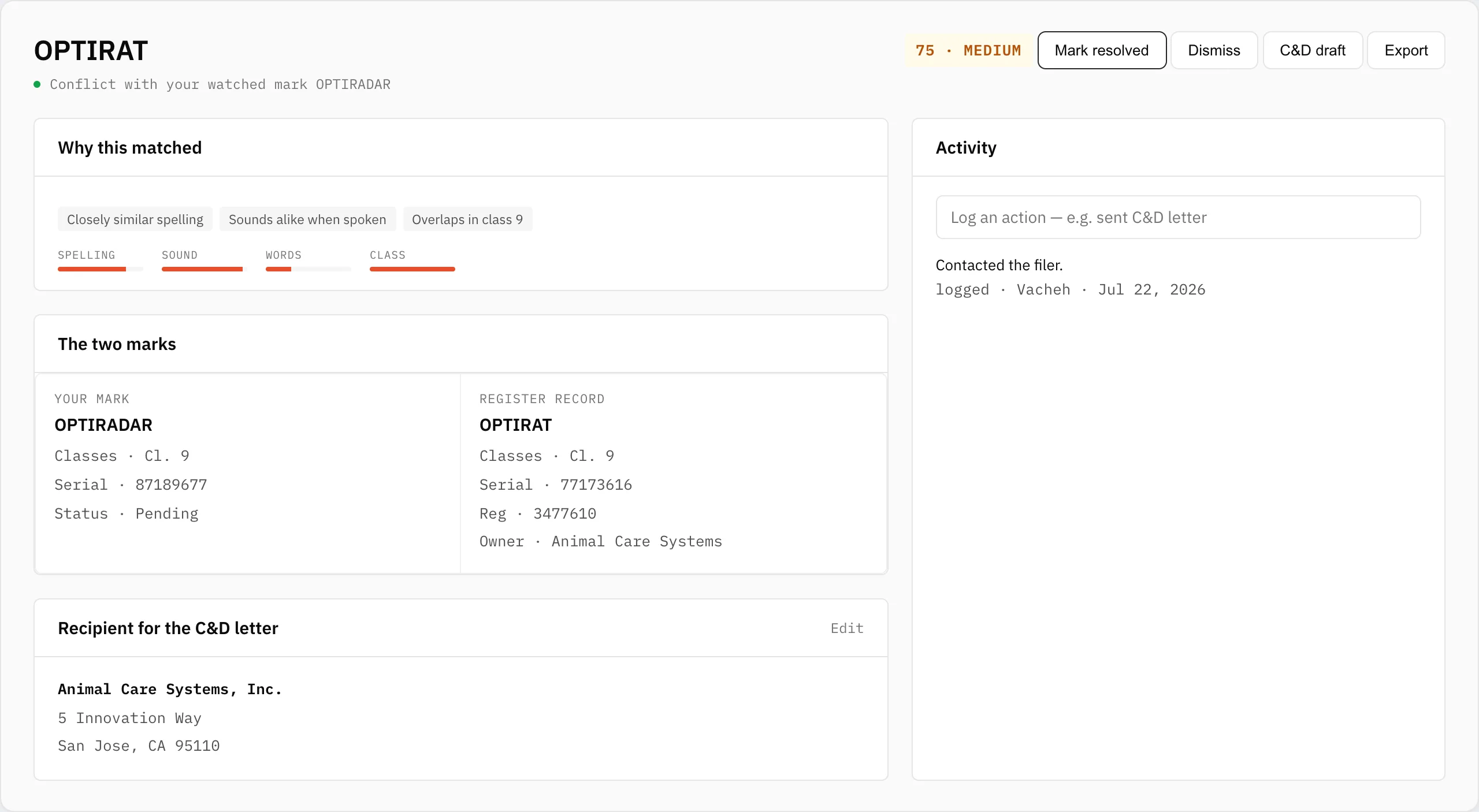
The finding page is where you decide what a conflict is and what to do about it. It carries the full breakdown, both marks side by side, your notes, and a dated activity trail.
Triage
Three actions keep your queue honest:
- Escalate — this is real and you're acting on it. It moves to your escalated queue on the dashboard and recurs in every digest until closed.
- Dismiss — not a threat. It moves out of the way, and rescoring never resurfaces a call you've already made.
- Mark resolved — you've dealt with it. It closes but stays on record.
Every triage action is logged automatically, so there's always a record of who decided what and when.
Notes & activity
Notes are for what you found and what's next; they're private to your workspace and recoverable if removed. The activity log records both automatic triage transitions and anything you log by hand — "sent C&D letter," "called their counsel," and so on.
Recipient details
Add the offending party's contact details on the finding (pre-filled from the USPTO owner name). These feed the cease-and-desist draft so the letter fills itself in.
Note: notes and recipient details are visible to everyone on your team and may be discoverable in litigation. Keep them factual.