Cease & desist drafts
When a finding warrants a demand, Thorgate assembles a cease-and-desist draft from the conflicting filing's own data — a starting point for your attorney, not a blank page.
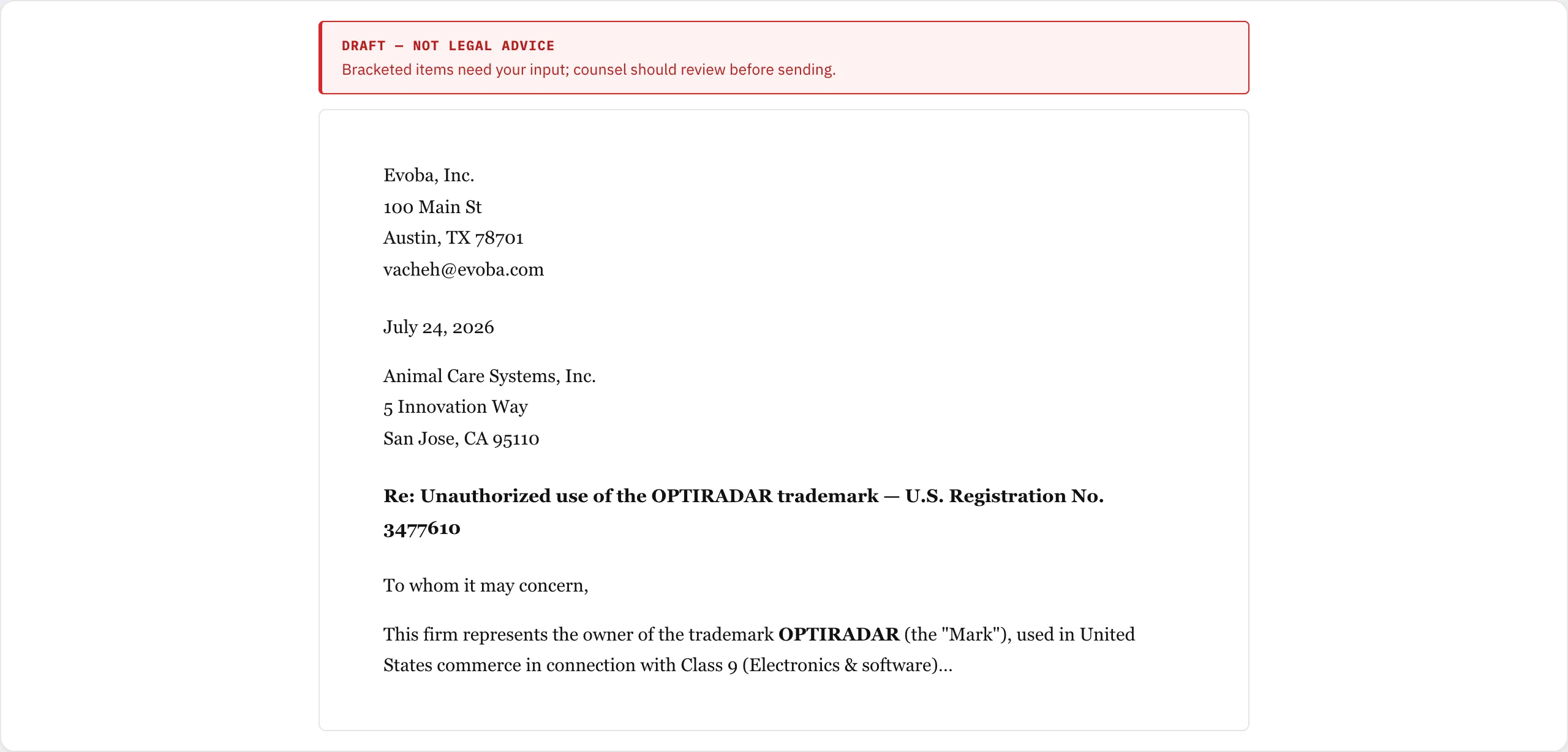
What gets merged
The draft pulls the parties, both marks, serial and registration numbers, classes, and your priority basis straight from the finding. Two things you set once make it complete:
- Your letterhead — add your firm name and address under Settings, and it fills the sender block on every letter.
- The recipient — add the offending party's address on the finding (pre-filled from the USPTO owner name), and it fills the recipient block.
Anything still blank shows as a bracketed placeholder, with an on-screen prompt telling you where to fill it in. Those prompts never appear in the PDF.
Review, then send
From a finding, click C&D draft. Edit the wording, then Download PDF, Print, or Copy text into your own template.
This is not legal advice. A generated draft is a drafting aid to speed up your review, not a substitute for an attorney. Sending a cease-and-desist letter has legal consequences — have qualified counsel review it before you send anything.