Understanding findings
A "finding" is a mark on the register that Thorgate thinks is close enough to yours to flag. Open any mark to see its findings, ranked by how likely they are to matter.
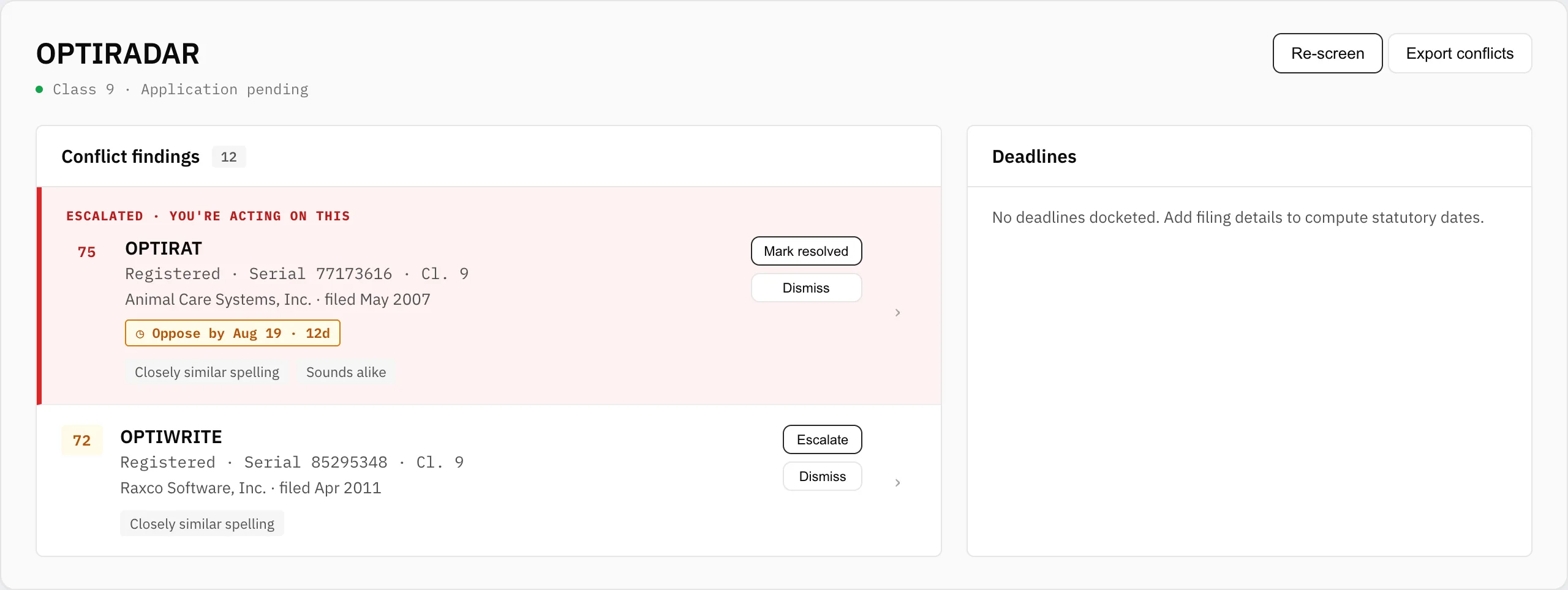
The score and severity
Every finding gets one composite score from 0–100, banded into high, medium, and low severity. High-severity conflicts also alert you by email the morning they're found; weaker ones wait in your digest.
Why it matched
Each finding shows the four signals behind its score:
- Spelling — how close the wording is, letter by letter.
- Sound — how alike the marks are when spoken (so "NORTHWYND" catches "NORTHWIND").
- Words — shared distinctive terms.
- Class — how close the goods/services classes are.

Where a conflicting mark has been published for opposition, the row shows an opposition window badge counting down the days you have to oppose it — the cheapest moment to act. Click any row to open the full finding.
Crowded fields
If a name is generic, hundreds of marks may score above your threshold. Rather than bury you, Thorgate flags the mark as a crowded field and shows the closest matches — a signal in itself that the name is weak on its own.