Client reports
A monitoring service is hardest to justify in the months when nothing happens. The client report is the artifact that answers "what did this buy me?" — on your letterhead, ready to forward.
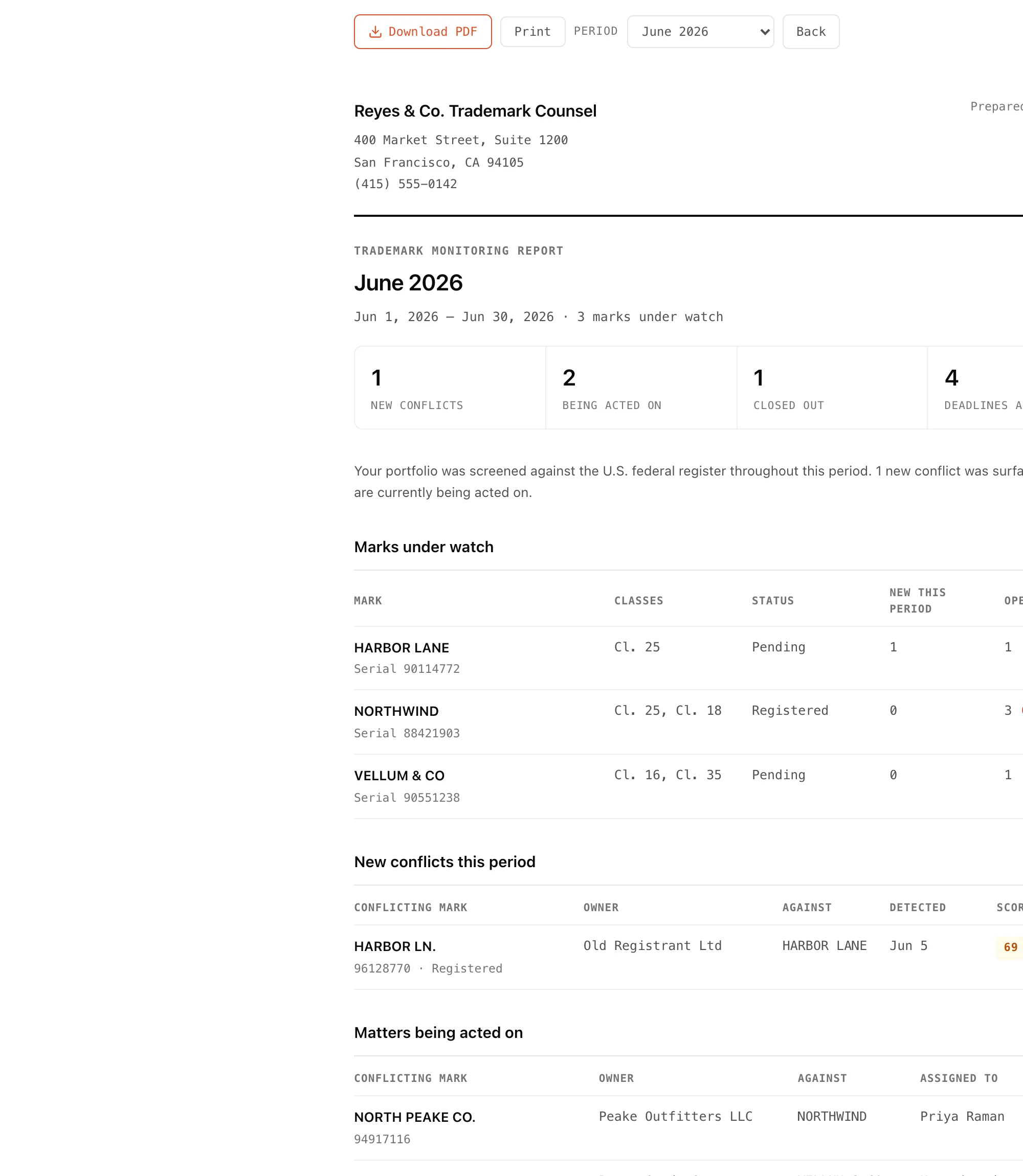
What's in it
- Marks under watch — every mark, its classes and status, what surfaced this period, and what's still open.
- New conflicts — everything first detected in the period, with owner, score, and severity.
- Matters being acted on — escalated conflicts and who they're assigned to.
- Actions taken — what was resolved or dismissed during the period, by whom and when.
- Case notes — notes your team wrote in the period, often the most valuable page to a client.
- Deadlines ahead — anything docketed in the next 60 days.
Quiet periods still produce a report. "Nothing surfaced, and here's the ground that was covered" is precisely what a monitoring service is paid to be able to say, so the report states it plainly rather than padding.
Building one now
From the dashboard, open Client report and pick a month. It defaults to the last complete calendar month — reporting on a month still running means the numbers move after you've sent it. Use Download PDF to save it, or Print straight from the page. Any team member can build one.
Actions come from the record, not the current state
"Actions taken" is drawn from the activity log, not from where a finding stands today. A conflict resolved in March and reopened in April still appears in the March report — the report describes what happened in the period, not what is true now.
Your letterhead
The report leads with the firm details from Settings → Letterhead, the same block the cease-and-desist draft uses. If it's blank, the page shows bracketed placeholders and warns you on screen — so a report never goes out with gaps you didn't notice. Letterhead is text only; there's no logo upload yet.
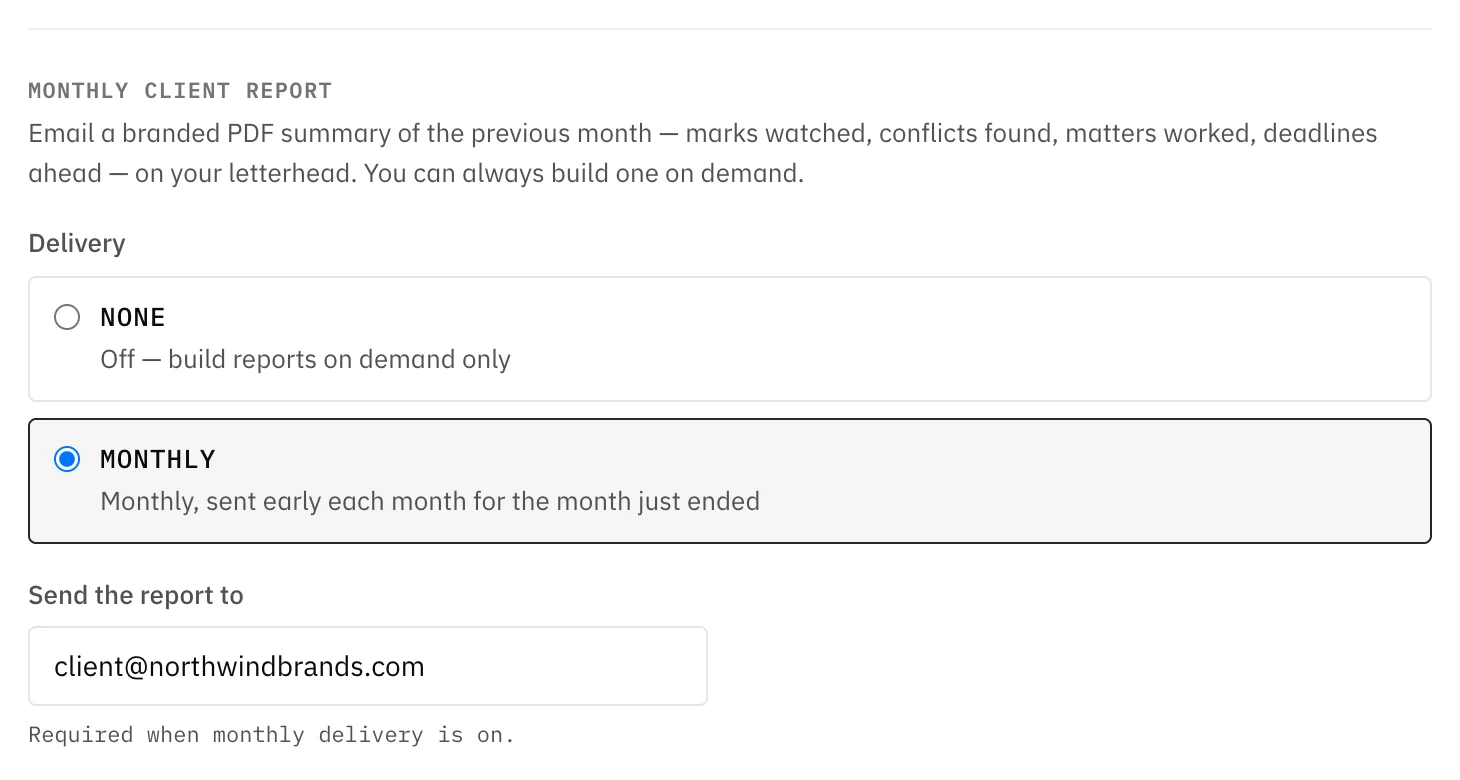
Sending it automatically
Under Settings → Monthly client report, switch delivery to Monthly and give the client's email address. Early each month Thorgate renders the previous month's report and emails it as a PDF attachment, with a short cover note carrying the headline counts.
It sends once per calendar month. If report generation fails on a given run, the month stays open and the next attempt picks it up rather than skipping your client's report. Only the workspace owner can change these settings.